You know that cute thing where cats and toddlers, and always dogs, bounce in going “I Halp! I Halp!”

Well, this writing tool is like that. I’d decided I was going to look into some writing tools over the Black Friday sales period (which seems to be a week and counting, these days) and pick up any that looked interesting. One I got, Scrivener, I haven’t used yet. Next time I start a story from scratch. And after I got it, I opened it late in the evening, saw that reading the Basics tutorial section was going to take an hour, and closed it again. I’ve been recommended Scrivener for years, so when it was on a reasonable sale, I decided I’d give it a whirl.
On the other hand, ProWritingAid which was the other tool I picked up, I opted to start out with a one-year subscription. I am very much not a fan of the subscription model, but PWA also offers a lifetime licence at a fairly high price (even on sale) so I decided to treat the one year like an extended trial period, following which if I like it an am using it consistently, I will pick up the lifetime. I also made sure I put a reminder on my calendar so I don’t miss an auto-renewal next year.
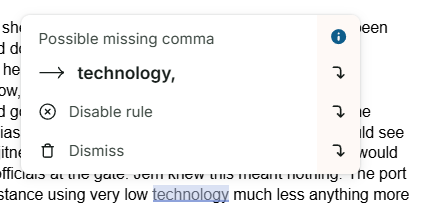
I wanted to try ProWritingAid to see if it would help me catch some ongoing editing issues I have. One of those is misuse and abuse of commas. For this, it seems to be good, although I’ve seen it correct a sentence, then want to change it back on another pass through. Fortunately, as you can see, this isn’t changing stuff automatically. I have a choice with every suggested change. This is good, it makes me look at the sentence and sometimes even paragraph with more critical eyes. I can always dismiss the suggestion.
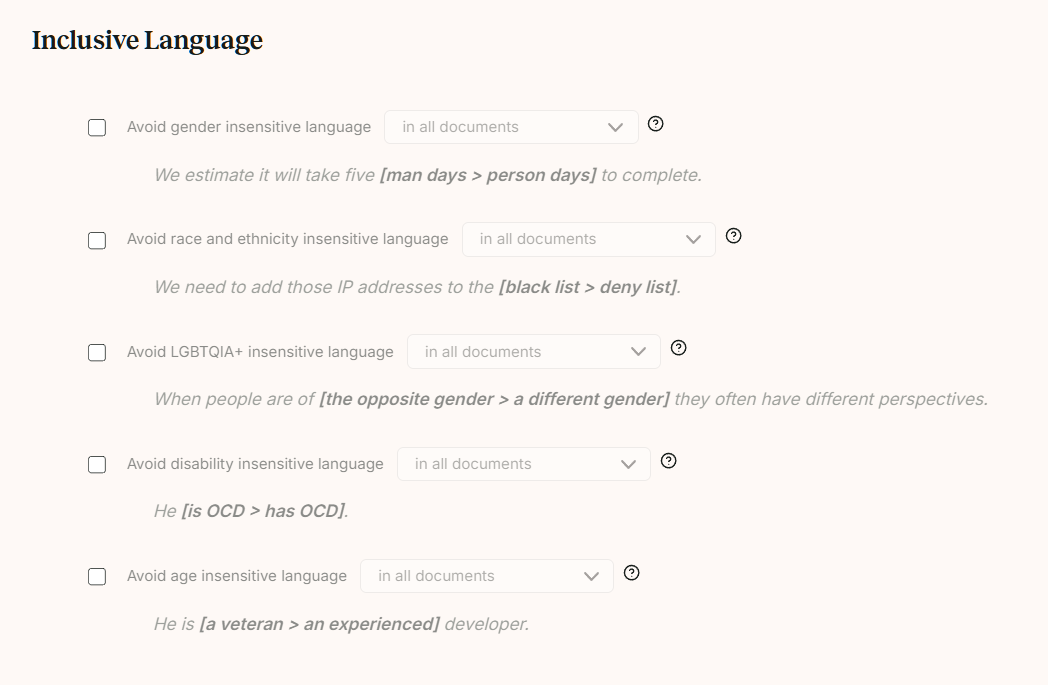
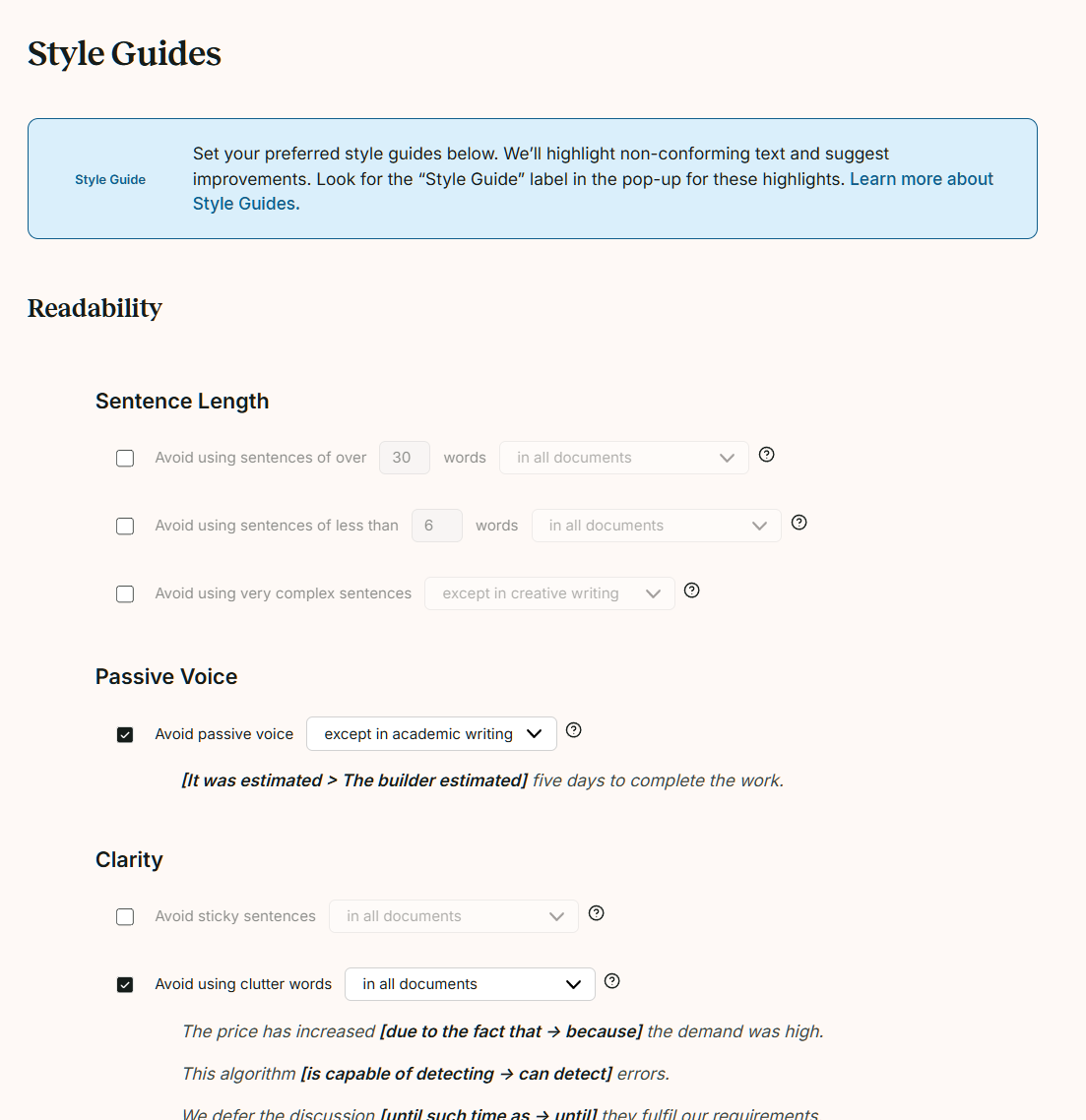
I can also disable the rules. I did this as soon as it started suggesting I change things to be gender neutral. There’s a specific toggle to switch that off in your personal style guide. Which is terribly handy!
The style guide enables you to do everything from confirming that yes, the Oxford Comma is the only kind of comma to how you want to handle formal language (if you were writing, say, an academic paper) or spaces around ellipses. Then, when you are running PWA after writing, it will flag the specific issues relating to your personal guide for potential changes. This, I like.
I will say that you should always either enter the document into PWA manually after you’ve completed it, or if you’re writing in a browser where it is active (like it is for my Substack) toggle it to ‘focus’ while you are composing so it won’t throw pop-ups and distract you into editing while you should be writing.
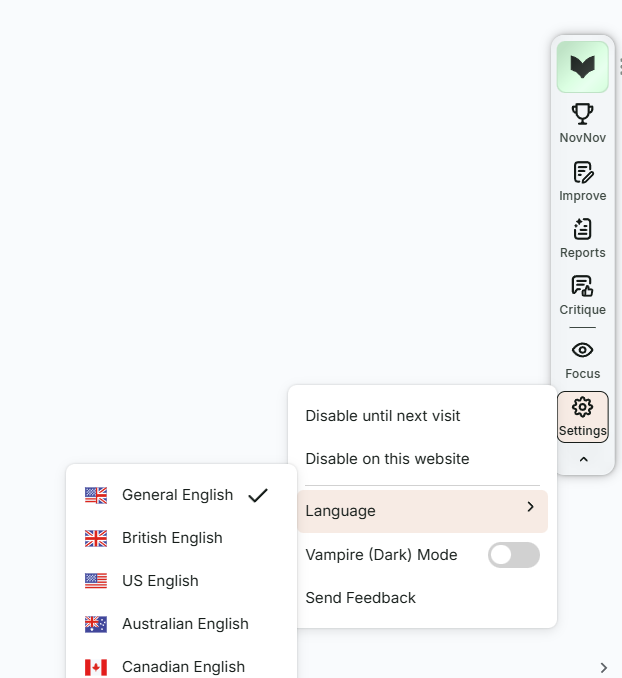
I’ve opened out the little sidebar menu here, generally in my browser it’s only showing the little book logo icon at the top. The NovNov is for people doing the novel november challenge with them. Not something I’m interested in, and in fact, something I should mention is that there are two levels of PWA, Premium, and Premium Pro. The upper and more expensive level gives you things like participation in writing groups and AI critique of your work. I neither need nor want those things, so I really didn’t want to pay more for them. I don’t think I’d recommend you use that, either. Writing groups and personal feedback are so critical and young writers can be vulnerable, far better for this to come from people you know and trust.

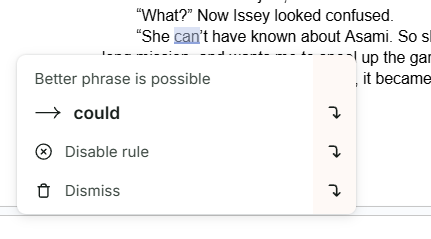
Speaking of trusting. The highlighted sentence above is wrong and likely needs rephrased entirely. The suggested sentence is hilariously wrong and should never appear in print. Don’t trust this program blindly. It will lead you down the garden path and into the weeds if you let it. In addition to occasionally being so wrong it’s funny, it will try to dumb down your word usage and vocabulary.
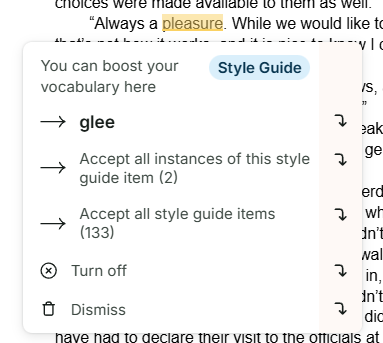
“Always a glee” as a greeting would be something. Silly. I’m about to entirely switch off the Style Guide, which you’ll see is an option on their dropdown there, because it seems to inevitably go for the most banal word or in this case, something that makes no sense in context. You’re the writer, you have the voice, don’t let the program scrub all of you off your story. Unless you’re writing that academic paper, in which case, hand it some powdered cleanser and let it have at.
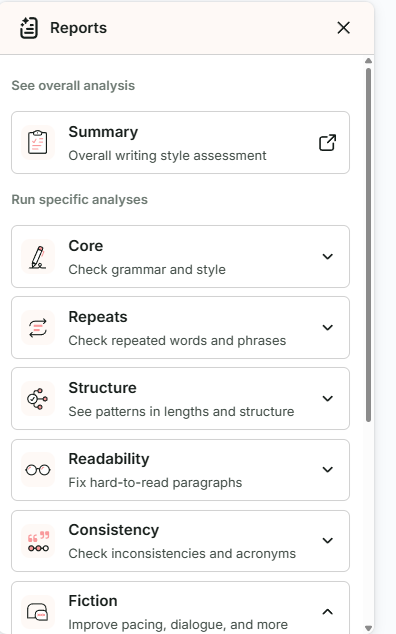
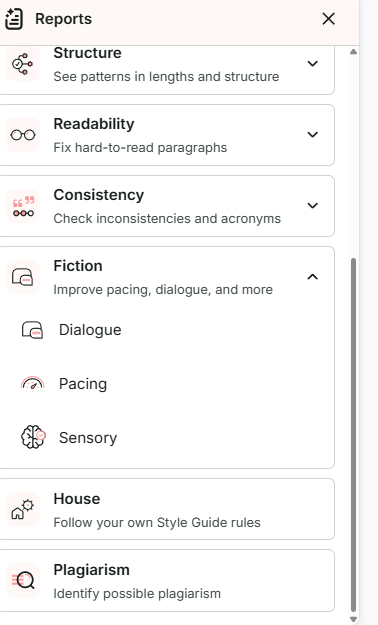
You can also run reports on the text you’ve fed into it. I’ve found this useful for overuse of a word in a document. It will also catch phrases you may have overused. Again, you’ll have to check every instance and decide for yourself if you’re going to take the advice: just like you would with a human editor.

Which brings me to why I picked up this program and intend to use it. I’m not replacing my editing team. I’m simply trying to make their lives easier by sending them a fairly clean document to begin work on. PWA should be helpful there, catching sentences that need some comma work, and I do like that it tells me why the comma is wrong/missing, because it is refreshing me on where I can learn to put them in (or leave them out, which seems to be my worst error). The frequent phrases and words is a useful report, as some of my current work is being done years after I started a story, and most of us pick up verbal tics, which change over time.
Because you can toggle off things like the inclusive language nonsense, and the ‘dumb down your vocab!’ bits, as I figure the program out and guide it to what I want and no more than that, I think it will be helpful. I’m still on the fence about the passive voice thing. I have a habit of defaulting to passive if I am tired or sick. However, some of the sentences it flags as passive are simply past tenses. Again, this is going to come down to what you feel is best. I like that it flags them and makes me think about the way I’ve written that particular sentence. I tend to find revision heavy going because my brain is more interested in the story than in the underlying grammatical structures. This makes it easier for me to focus on the grammar.
To recap: write the story, then edit. I say again: DO NOT EDIT BEFORE YOU FINISH THE STORY. And then, if you feel like a tool would be useful, see if this one might help you whip the story into shape. It certainly will not replace editors and beta readers, but I suspect it will help my editors and make their lives easier when they get a cleaner manuscript from me.




 Mad Genius Club
15 responses to “Review: ProWritingAid”
I used to have a license for that, years ago. I should see if it’s still valid.
I hope so. Kind of defeats the purpose of a ‘lifetime’ otherwise!
After logging into my account, it says license started in December 2016 and ended in January 2017, so it must have just be a trial that I wasn’t impressed with. Obviously it’s had lots of time to improve since then!
Sounds like it was a trial. And yes, it seems to be useful. I’ll likely do an update near the end of the trial, report back on if I used it. I could put that on my calendar to remind me…
Scrivener is a Swiss Army knife with a confusing number of options but little by little it helps me take the disorganized mess of scenes I write and allows me to put them into an order that makes sense. I do not understand all it can do but as I just use the damn thing I figure out another useful aspect to it. My advise is to keep it and just use the parts that make sense to you and you will find that another piece of its puzzle helps and then another piece…
I’ve written many things without it – but I am a linear writer in general. However, I do need to be carefully about plotting as I embark on some longer series, so hopefully it will give me some reminder notes and series bible tools.
I will say that the manual for Scrivener is very searchable, and the help tab pulls it up, at least on my edition.
I cmay just dive in and figure it out as I go.
I am no expert but what I find very useful to keep coherence between scenes is the side notes there are several different types and one type can actually be used to address searchable notes between separate projects. It is explained in the tutorial but I have found a number of youtube videos that explain it better and give examples which helped me more than just the tutorial. The manual is also searchable
That’s how I started with it as well.
“I’m not replacing my editing team. I’m simply trying to make their lives easier by sending them a fairly clean document to begin work on.”Bingo. I find that using a combination of my own regular expression searches, PWA, and Word / Scrivener spelling/grammar checks helps me turn in something that I won’t be embarrassed by… linguistically, at least. :)If a tool can help me find something I’ve missed, I’m grateful for it. That doesn’t mean that I’m going to take every suggestion it tries to “halp” me with. 🙂
I am told I write clean copy, but even so, I think this will be helpful. I just want to make sure new, or younger, authors know it’s akin to that dog on the ladder. He has no idea how he got up there, or how he’s getting down again.
I have been using PWA since a few months after Jenny died. She was the grammer person in the family. I find it helpful in the first edit pass after I complete the story.
My process is to always do my first draft in Google Docs because I spent more time than I care to remember writing in waiting rooms and hospital rooms. I then oepn in Word and the PWA add in to edit.
A feature I like is the ability to set the tupe of document you are producing. I find that it reduces the annoying suggestions, although it does nto completey elimiate the problem I have it PWA and flagging dialoge as passive.
I’ve never really used the report features. Thanks for mentioning them. I probably need to give them a look.
I apparently can’t spell tonight.
Scrivener is a joy, once you’ve come to grips with it. It’s deep and complex, and sometimes one just need shallow and simple. But, I love it, and recommend it without hesitation.
As for Pro Writing Aid, it will strip your voice from your manuscript faster than a very fast thing. It’s designed for formal writing.
My favourite app to check my writing is the Hemingway Editor, just because it cuts down my use adverbs, and maaks out complex sentences that are hard to parse.
Anyway, Merry Christmas.